What Time Is It?
On Palm OS, the interface for picking the start and end time of an event is represented as two columns, hour and minutes. The hours list either starts at 8AM and shows until 7PM (covering a full business day, or it starts at the next hour (if creating an event for today). Minutes are represented for every 5 minute interval, allowing every option to be shown at once.
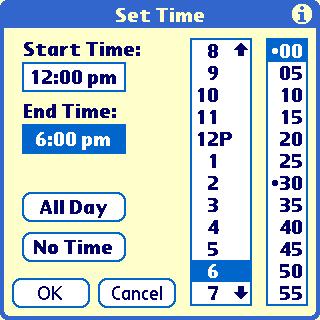
This interface is simple and requires an extremely low cognitive load to use. It's scannable and adaptive to the current situation (today vs another day). It limits options (ie you can't set a time of 12:33) to drive simplicity.
If we compare to the time picker on Android, we can see it's significantly more complex.
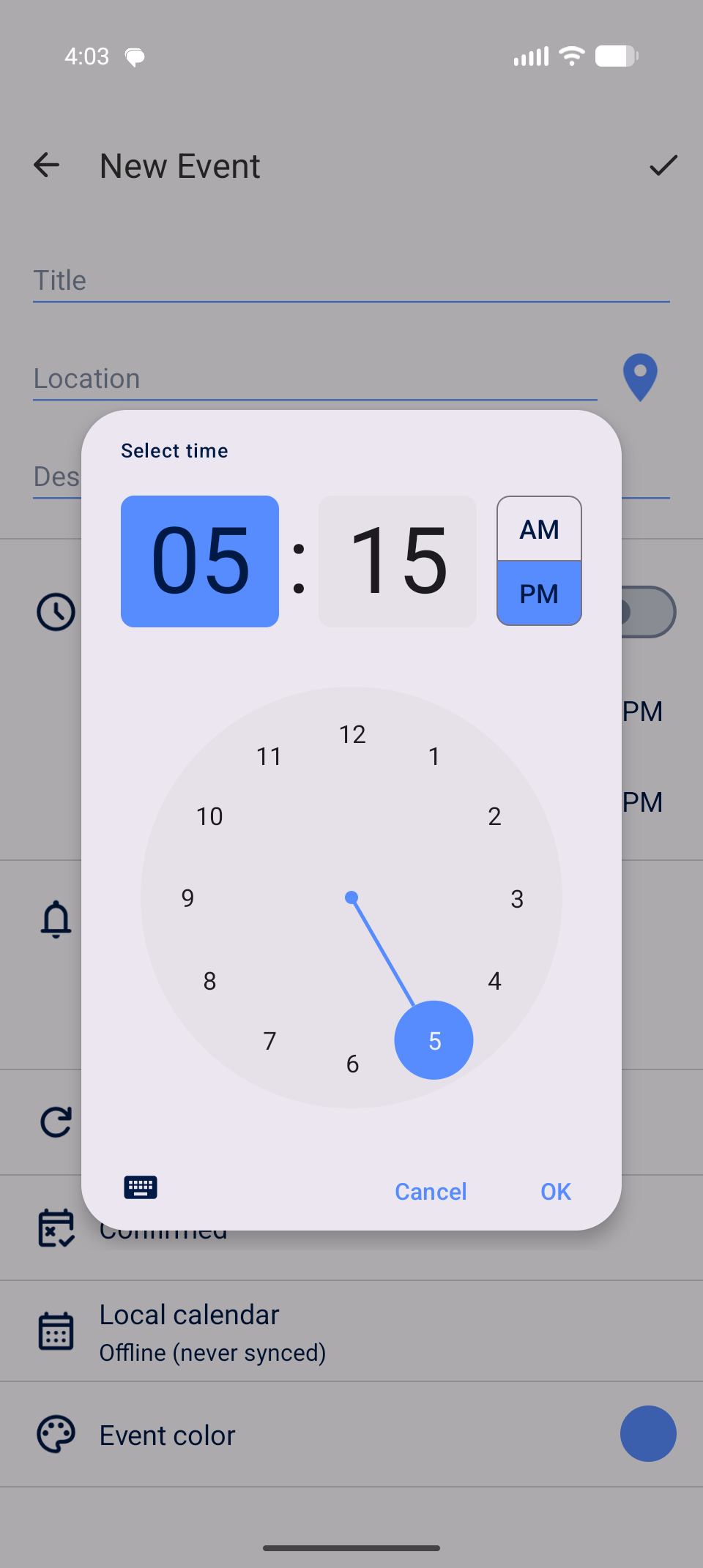
One must first tap the hour, then tap AM/PM, then tap the minutes section and tap the minute they need.
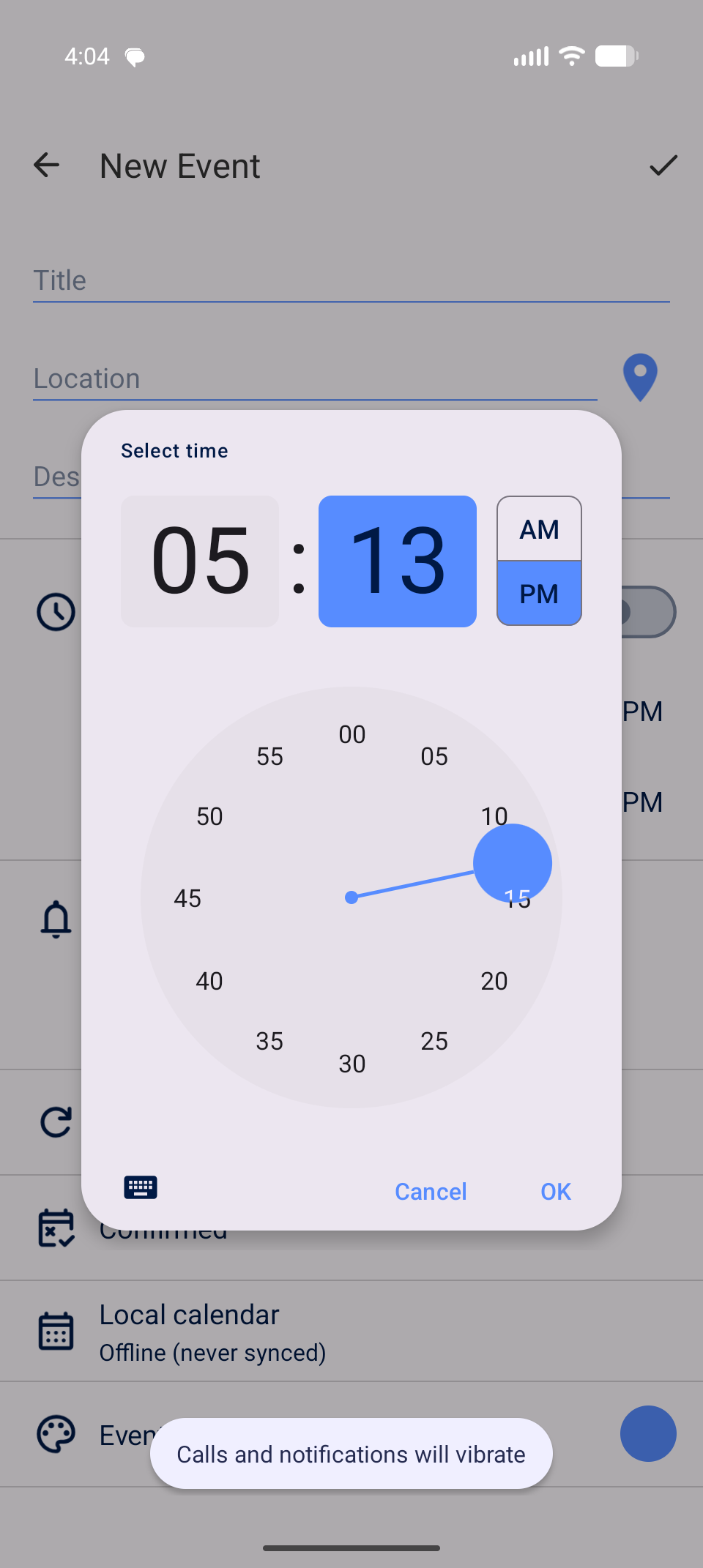
While minute intervals of 5 are shown on the screen, the user is able to select specific minutes, if they know how (one must drag the circle to get a specific minute). The interface has many more taps, states and cognitive load.
How about iOS?
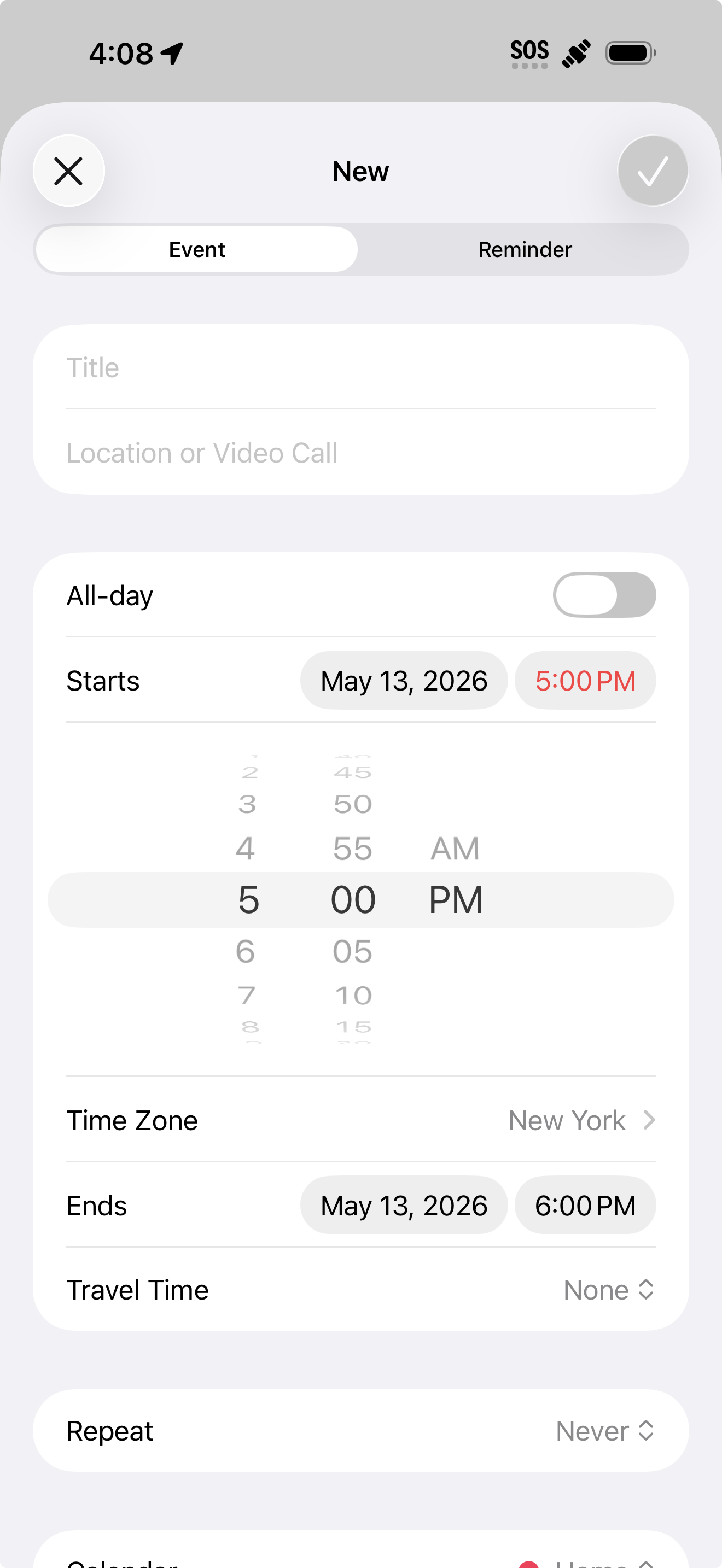
Like Palm OS, iOS limits you to 5-minute intervals. Similar to Android though, an additional interaction is needed to pick AM/PM. Picking hour and minutes is more involved as well, you must scroll the picker to the desired value.
The Palm OS UI might not be the prettiest, but it's the fastest for most use-cases. The most common options (business hours and 5-minute intervals) are presented without the need for multiple states or scrolling. Setting the time is 2 taps away!